
If you are just starting out in SEO (or even if you’ve been doing it for a while), the price tags on premium tools like Ahrefs or Semrush can be scary. Paying $100+ a month just to see search volume feels like a lot.
The good news? You don’t actually need to pay that much.
In my experience, you can get 90% of the job done by combining three powerful free tools. These are the top 3 tools I personally use for my projects, and how I balance them to get the best results without spending a dime.
Table of Contents
Toggle1. Google Keyword Planner (GKP)
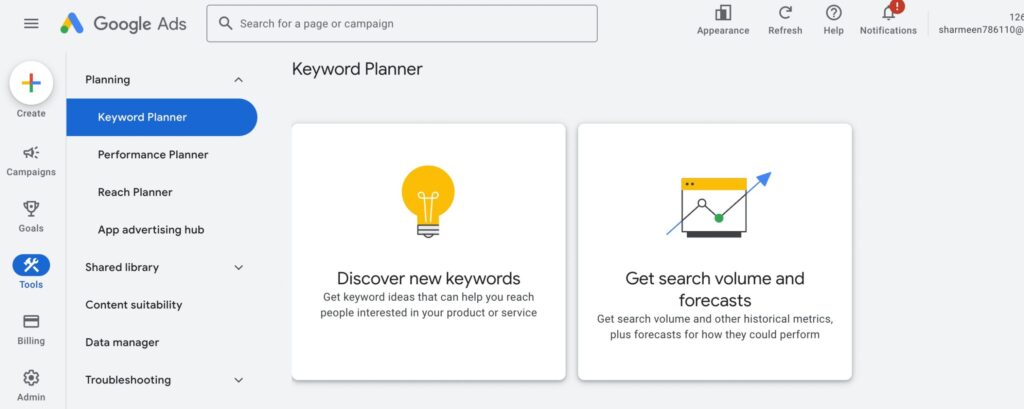
This is the “OG” of keyword research. Since it comes directly from Google, it is often considered the source of truth for search data.
My Experience: I generally use this when I want raw, reliable data. It’s built for advertisers, but it’s a goldmine for SEOs if you know where to look.
Pros:
-
Most Accurate Data: The data comes straight from the search engine itself, not a third-party estimate.
-
Totally Free: You just need a Google Ads account (you don’t actually have to run a campaign).
-
Great for Commercial Intent: It shows “Bid” prices, which tells you if a keyword is profitable. If advertisers are paying high amounts for a click, it’s a “Money Keyword.”
Cons:
Vague Volume Ranges: If you don’t spend money on ads, Google sometimes only shows ranges (e.g., “1k – 10k”) rather than exact numbers.
Ad-Focused UI: The interface is cluttered with metrics like “Ad Impression Share” which are useless for organic SEO.
Pros:
Most Accurate Data: The data comes straight from the search engine itself, not a third-party estimate.
Totally Free: You just need a Google Ads account (you don’t actually have to run a campaign).
Great for Commercial Intent: It shows “Bid” prices, which tells you if a keyword is profitable. If advertisers are paying high amounts for a click, it’s a “Money Keyword.”
Cons:
Vague Volume Ranges: If you don’t spend money on ads, Google sometimes only shows ranges (e.g., “1k – 10k”) rather than exact numbers.
Ad-Focused UI: The interface is cluttered with metrics like “Ad Impression Share” which are useless for organic SEO.
Best For:
Validating Search Volume. Use this when you have a list of keywords and you want to check if people are actually searching for them.
Link to the Tool: Google Keyword Planner
2. Ubersuggest
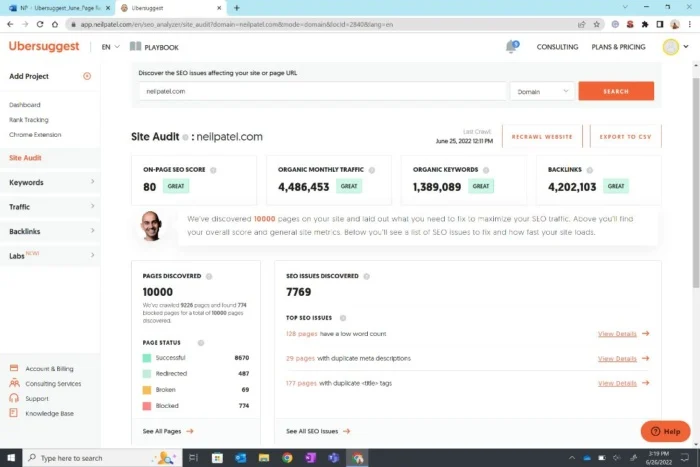
This is my favorite tool for “on-the-go” analysis. While the website is great, I specifically recommend using the Chrome Extension.
My Experience: I use this to analyze search results in real-time. When I type something into Google, the extension overlays data right on top of the results page. It feels like having “X-ray vision” for Google.
Pros
Live SERP Analysis: You can see the Domain Authority (DA) and estimated traffic for every website ranking on the first page.
Keyword Suggestions: It shows related keywords and their volume in a sidebar next to your search results.
User-Friendly: Much prettier and easier to understand than Google’s tools.
Cons
Daily Limits: The free version limits how many searches you can do per day.
Upselling: You will see a lot of pop-ups asking you to upgrade to the paid plan.
Pros:
Live SERP Analysis: You can see the Domain Authority (DA) and estimated traffic for every website ranking on the first page.
Keyword Suggestions: It shows related keywords and their volume in a sidebar next to your search results.
User-Friendly: Much prettier and easier to understand than Google’s tools.
Cons:
Daily Limits: The free version limits how many searches you can do per day.
Upselling: You will see a lot of pop-ups asking you to upgrade to the paid plan.
Best For:
Competitor Analysis & SERP Research. Use this to see who is ranking and why. If you see a website with low Domain Authority ranking on page 1, that’s your green light to target that keyword.
Link to the Tool: UbersSuggest
Also Read: How Advertising Intelligence is Evolving
3. WordStream Free Keyword Tool
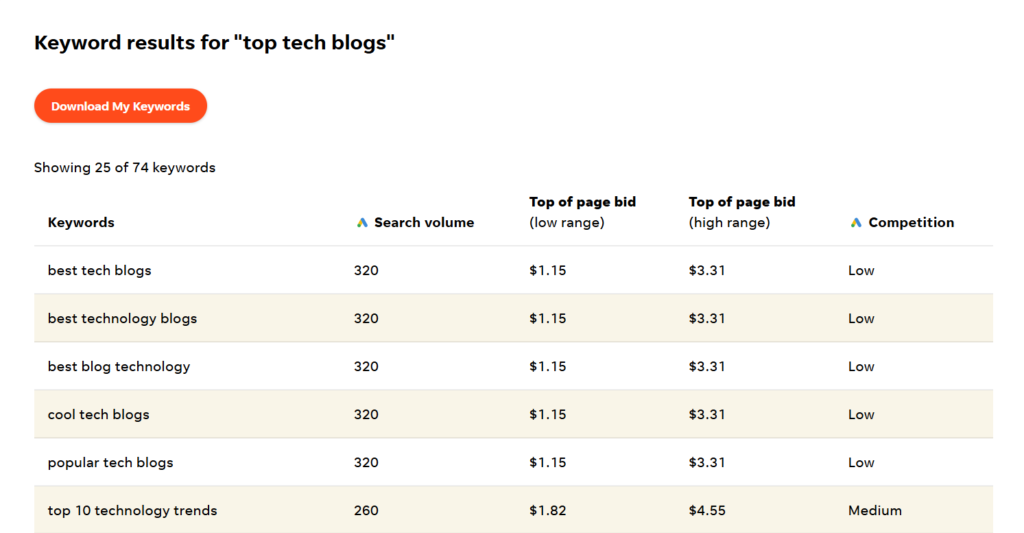
WordStream is owned by LocaliQ and is technically a PPC (Pay-Per-Click) tool, but it is fantastic for quick SEO brainstorming.
My Experience: I use WordStream when I have “writer’s block.” If I need a quick list of related topics or variations of a keyword without logging into a complex dashboard, this is my go-to.
Pros:
Fast & Simple: No complex setup. You just type a word and get a list.
Niche Grouping: It does a great job of suggesting related industries or niches you might not have thought of.
Opportunity Score: It gives a simple score to help you identify “low hanging fruit.”
Cons
Limited Data: It doesn’t give as much deep technical data (like backlink analysis) as Ubersuggest.
One-Dimensional: It’s strictly for finding keywords, not for analyzing competitors or site health.
Pros
Fast & Simple: No complex setup. You just type a word and get a list.
Niche Grouping: It does a great job of suggesting related industries or niches you might not have thought of.
Opportunity Score: It gives a simple score to help you identify “low hanging fruit.”
Cons
Limited Data: It doesn’t give as much deep technical data (like backlink analysis) as Ubersuggest.
One-Dimensional: It’s strictly for finding keywords, not for analyzing competitors or site health.
Best For:
Quick Brainstorming. Use this when you are in the early stages of a blog post and need to generate a list of 10-20 topic ideas fast.
Link to the Tool: Wordstream
Which one should you use?
If you want to…
Get new topic ideas fast – WordStream
Check if a keyword makes money (Ads) – Google Keyword Planner
Analyze competitors on Page 1 – Ubersuggest